
Deep research has become one of the most compelling demonstrations of AI's practical business value. Around the world, teams are discovering that AI can do more than answer questions—it can conduct thorough, multi-source investigations that would take humans hours or days.
While the underlying models have impressive research capabilities on their own, chaining agents and models together gives you control over both the quality and volume of your output. That's where things get interesting.
In this article, I'll walk you through how to build a simple but powerful custom deep research app in Giselle.
The Current State of Deep Research
Deep research is quickly becoming a standard feature across AI providers. OpenAI, Google, and Anthropic all offer their own flavors:
- Gemini's grounding and Claude's web search are excellent at gathering search information quickly
- But when you need extensive information gathering—even if it takes more time—the GPT series remains my recommendation
Here's the thing though: having access to deep research doesn't mean you'll get great results out of the box. Using it effectively requires some finesse.
What I Learned from OpenAI's Deep Research API
I tested OpenAI's deep research API following their official documentation. I'll be honest: I couldn't get the results I was hoping for.
That led me to a simpler approach: use GPT's latest flagship model with the right prompting strategy.
You might think cranking up the reasoning effort to "high" or maxing out verbosity would do the trick. And yes, these settings increase information density. But whether the model actually conducts thorough research? That still comes down to your prompt.
One thing worth mentioning: running workflows with high reasoning and high verbosity LLMs chained together is actually quite challenging from a technical standpoint. Most tools struggle with this. It's something our development team at Giselle put significant effort into making work reliably.
The Problem Most People Face
Here's the real challenge: most people don't know what instructions will trigger genuine deep research behavior from an AI model. Unless you're deeply experienced with prompt engineering, it's hard to intuit what works.
So what's the solution?
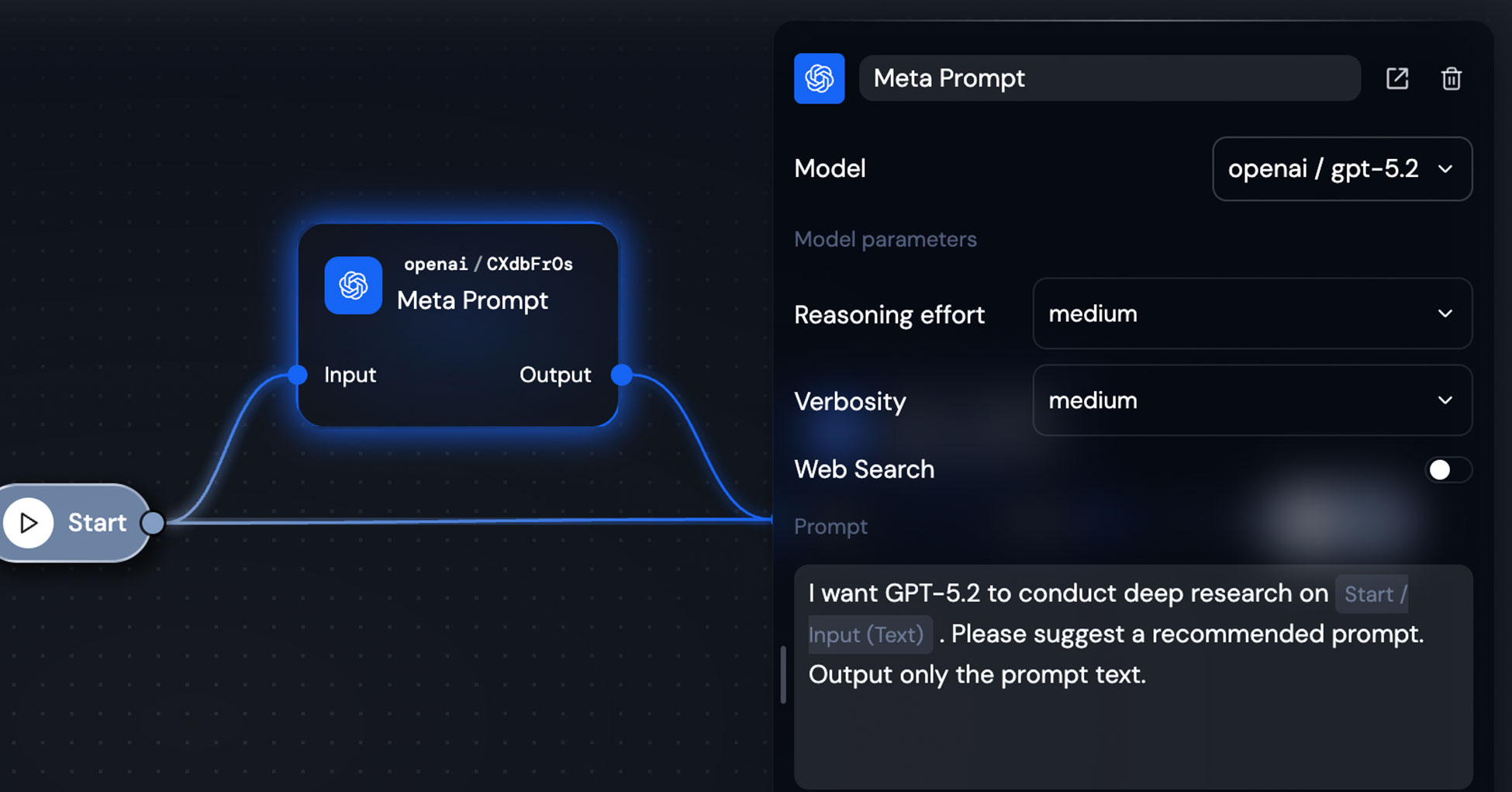
Let AI write the prompt for you.
In image generation services, this is often called a "magic prompt" — a feature that's been standard for years. More generally, it's known as a meta prompt: a prompt that generates prompts.
Building the Deep Research Workflow
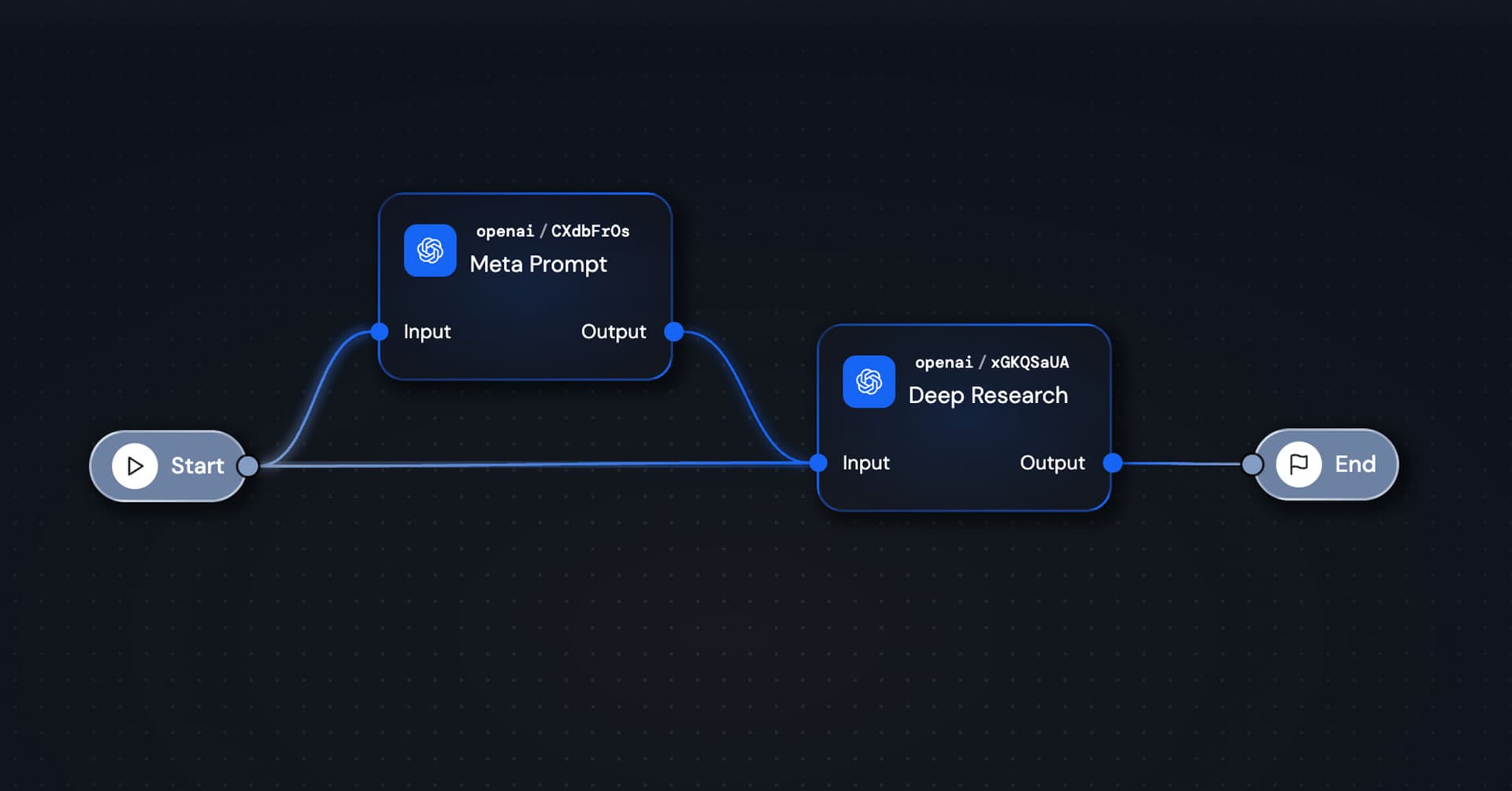
The architecture is straightforward. Here's what I built:
Step 1: Meta Prompt Agent
The first agent takes the user's simple question and transforms it into an optimized research prompt. This is the key innovation — you don't need to be a prompt engineer to get expert-level results.
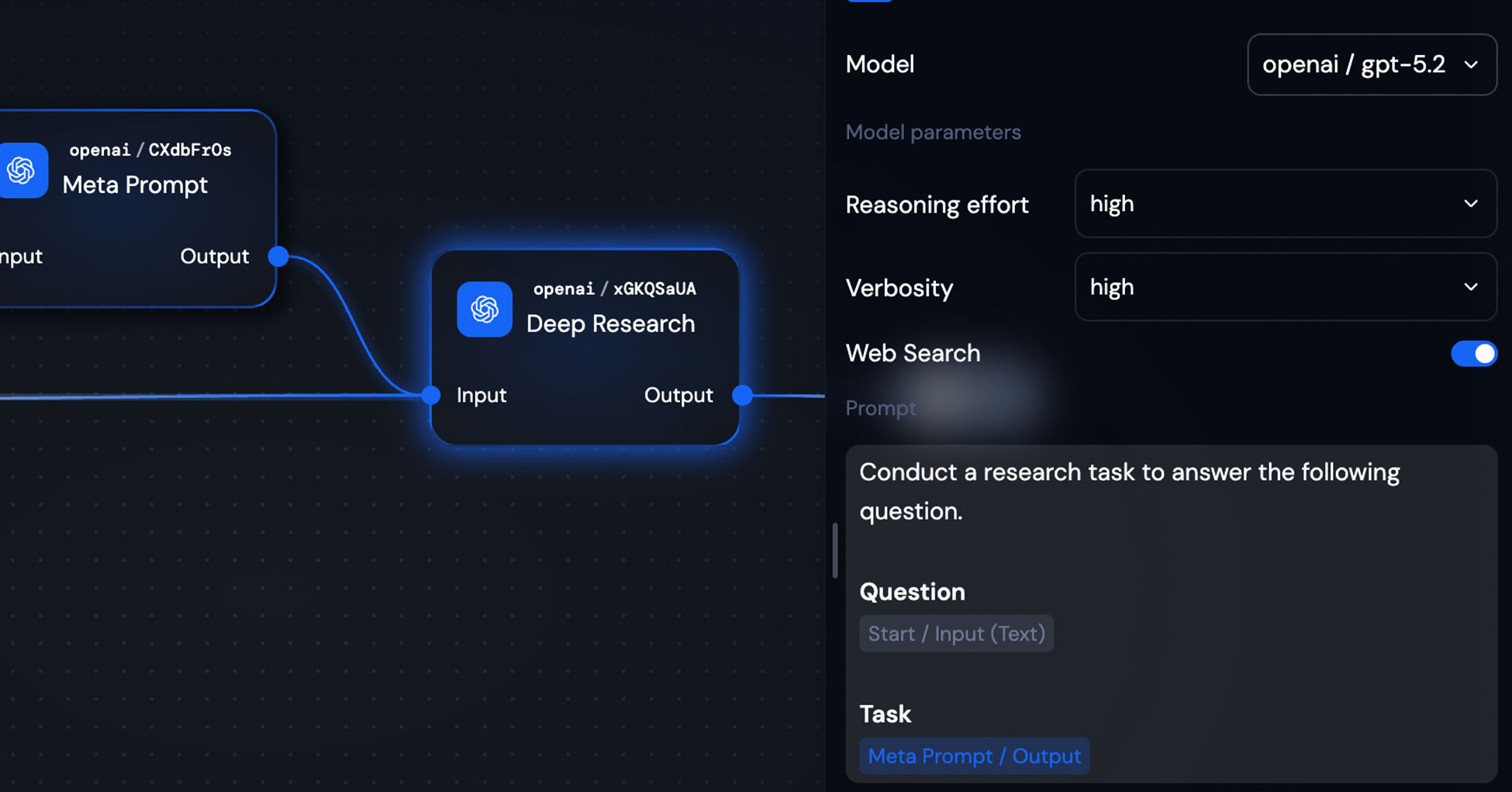
Step 2: Deep Research Agent
The second agent receives the refined prompt and conducts the actual deep research using GPT's latest model with web search enabled.
Step 3: Output
Clean, comprehensive research delivered back to the user.
That's the entire workflow. Two agents, chained together.

Why This Works
When a user asks something simple like "Tell me about Giselle's AI workflow product," the meta prompt agent might transform it into something like:
"Conduct a comprehensive research task on Giselle, an AI workflow product. Investigate: 1) Core product features and capabilities, 2) Technical architecture and integration options, 3) Comparison with competing solutions, 4) Pricing and target market, 5) Recent developments and roadmap. Synthesize findings into a structured analysis with specific examples and citations."
The user didn't need to think of any of that. The AI handled the prompt engineering automatically.
Configuration Tips
For the Deep Research Agent, I recommend:
- Model: GPT-5.2 (or the latest available)
- Reasoning effort: medium
- Verbosity: medium
- Web Search: On (this is essential)
For the Meta Prompt Agent, you can use a lighter model — it just needs to be good at instruction writing.
Wrapping Up
Custom deep research doesn't have to be complicated. With a two-step workflow — meta prompt generation followed by research execution — even users unfamiliar with prompt engineering can get sophisticated, thorough results.
The pattern is simple:
- Let AI optimize your question into a research prompt
- Let AI execute that research with the right model settings
- Get comprehensive output without the learning curve
Give it a shot.