
In my previous articles, I covered how to use Vector Store with GitHub repositories—from basic setup to cross-repository analysis. But here's the thing: not all valuable knowledge lives in code.
In reality, most business knowledge exists as PDFs, Word documents, internal wikis, and plain text files. If you've been wondering how to bring that kind of unstructured knowledge into your AI workflows, this article is for you.
The Reality of Business Knowledge
Let's be honest. In most organizations, the most critical information isn't neatly structured in a GitHub repository. It's scattered across:
- Product specifications in PDFs
- Internal policies in Word documents
- Technical documentation in Markdown files
- Research notes in plain text
Tools like Cursor and Claude Code are excellent when you're working with codebases. But what about everything else?
That's exactly the gap Document Vector Store is designed to fill.
Introducing Document Vector Store
Document Vector Store works just like GitHub Vector Store, with one key difference: instead of connecting to a repository, you upload document files directly.
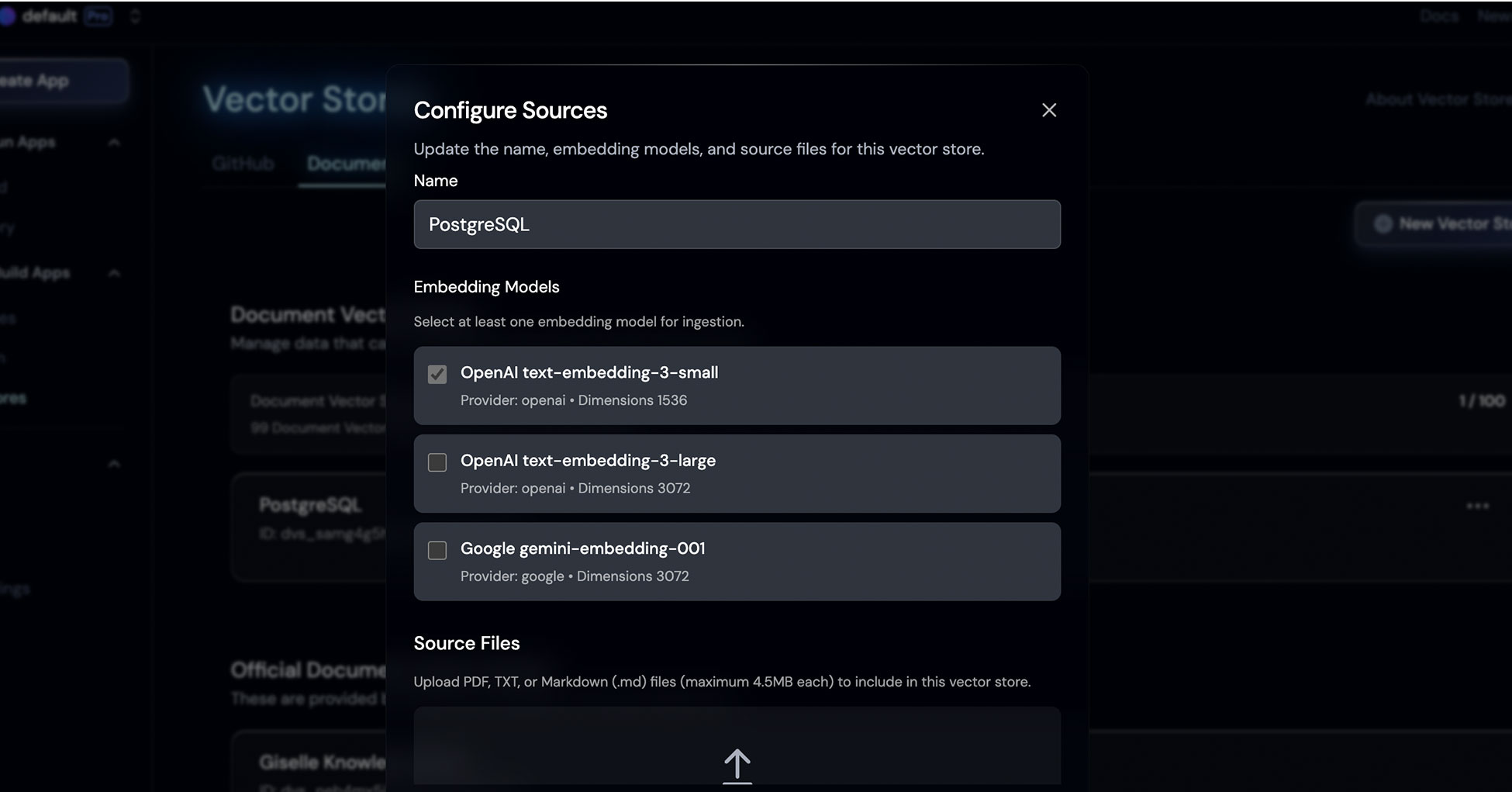
The setup is straightforward:
- Create a new Document Vector Store
- Choose your embedding model (OpenAI text-embedding-3-small works well for most cases)
- Upload your PDF, TXT, or Markdown files (up to 4.5MB each)
One nice bonus compared to GitHub ingestion: since you're uploading documents directly, there's virtually no waiting time. The data is ready to query almost immediately.
Tutorial: Building a PostgreSQL Documentation Q&A System
Let me walk you through a practical example. We'll build a Q&A system that can answer technical questions about PostgreSQL—using its official documentation as the knowledge base.
Step 1: Getting the Documentation
Now, you might be thinking: "Collecting and converting PostgreSQL's entire documentation sounds like a nightmare." And you'd be right—if you had to do it manually.
Fortunately, there's a service called Context7 that solves this problem beautifully.
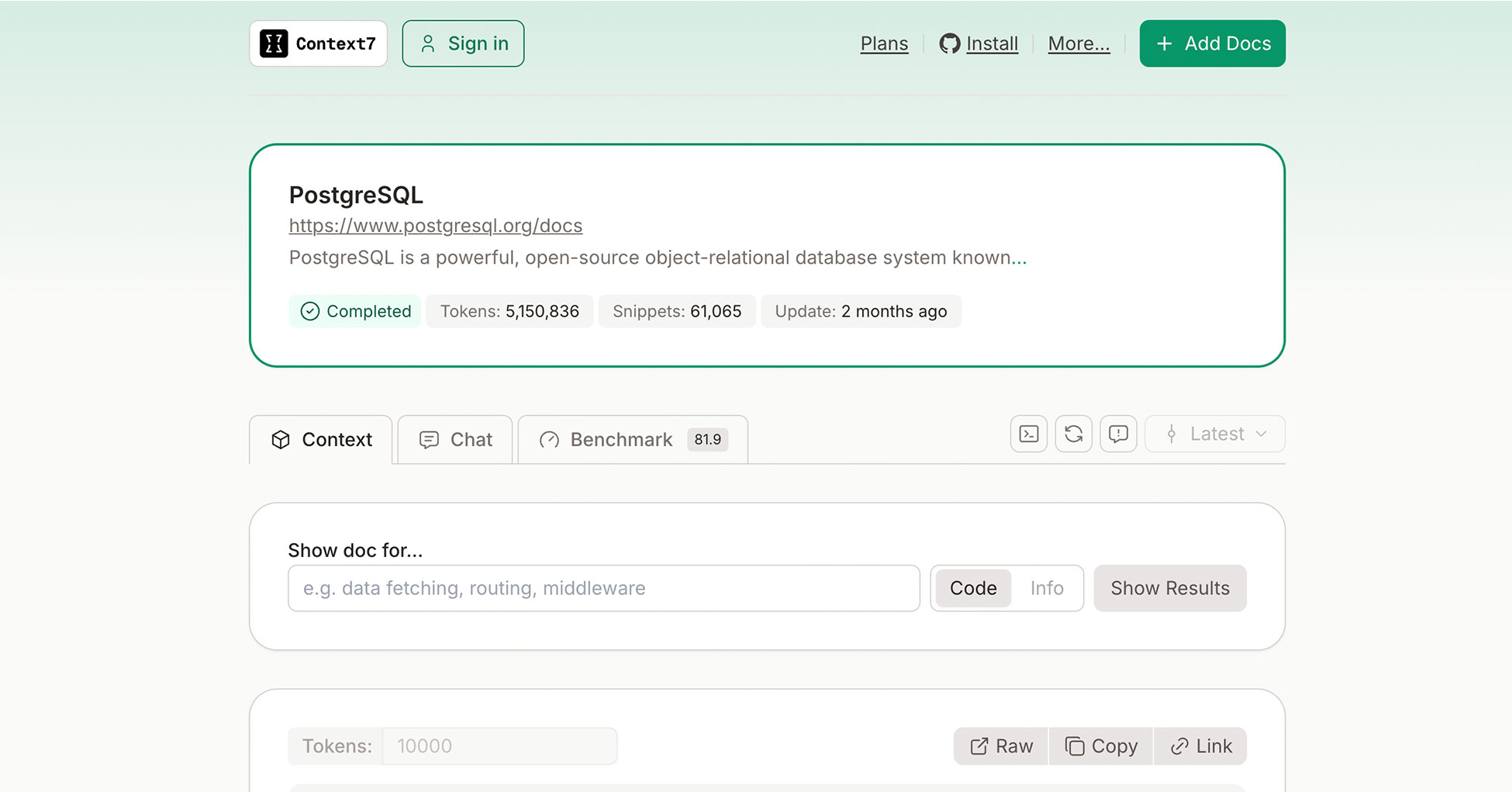
Context7 is a project by Upstash that transforms official documentation from popular frameworks and libraries into AI-friendly formats. They've already processed PostgreSQL's docs into over 5 million tokens and 61,000 snippets.
You can download the pre-processed text directly and upload it to Giselle. No manual scraping required.
Step 2: Create the Vector Store
Once you have your documentation files:
- Go to Vector Store settings in Giselle
- Create a new Document Vector Store named "PostgreSQL"
- Select OpenAI text-embedding-3-small as your embedding model
- Upload the markdown or text files
Step 3: Build the Q&A Workflow
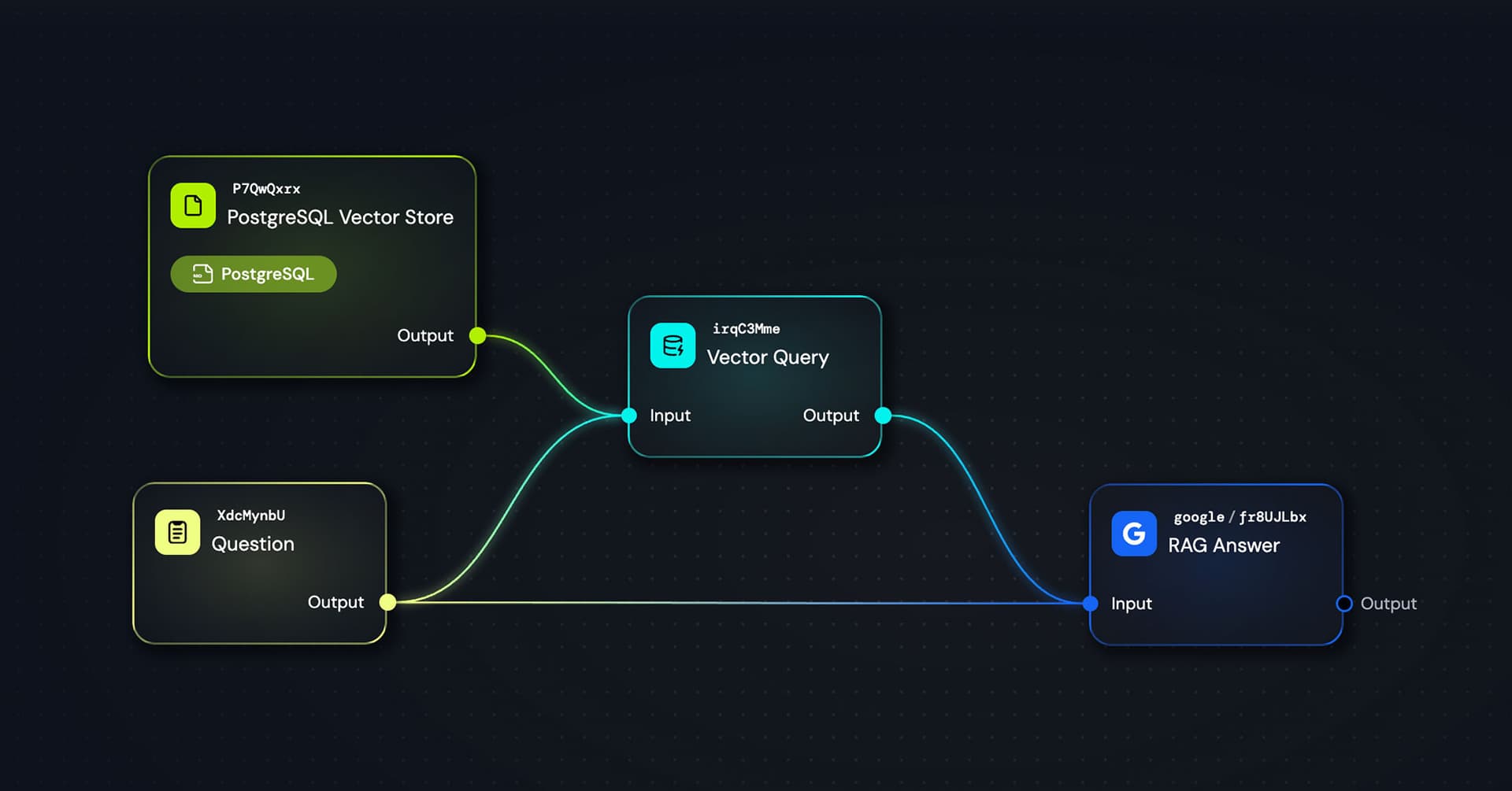
Here's the simple workflow I built:
Question(Text) Node → Vector Query → RAG Answer Agent
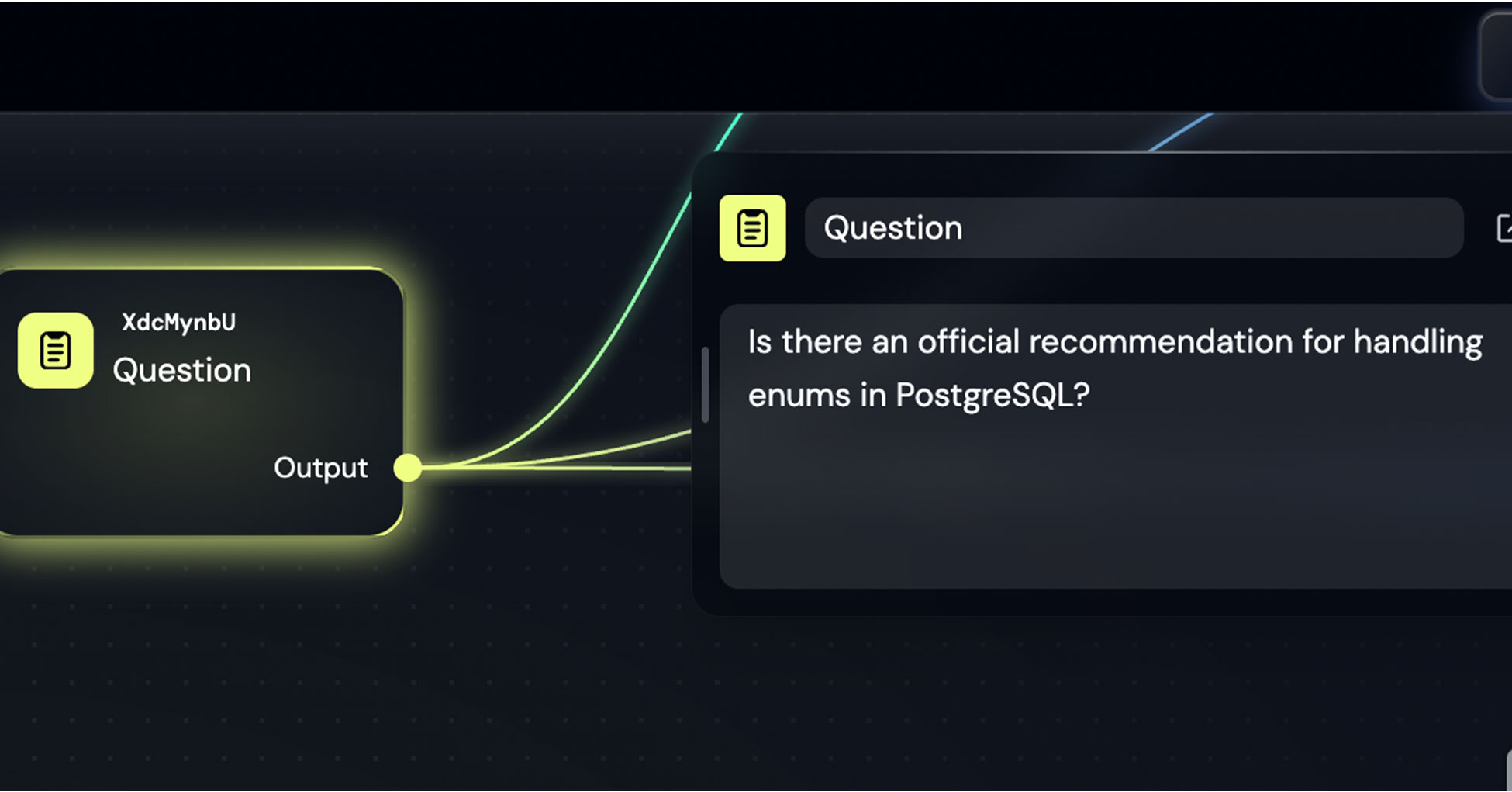
The Text node contains a sample question I prepared for this demo: "Is there an official recommendation for handling enums in PostgreSQL?"
The Vector Query node pulls semantically relevant snippets from the PostgreSQL documentation.
Finally, the RAG Answer agent (I used Google's gemini-3-flash) synthesizes the retrieved context into a clear, actionable answer.
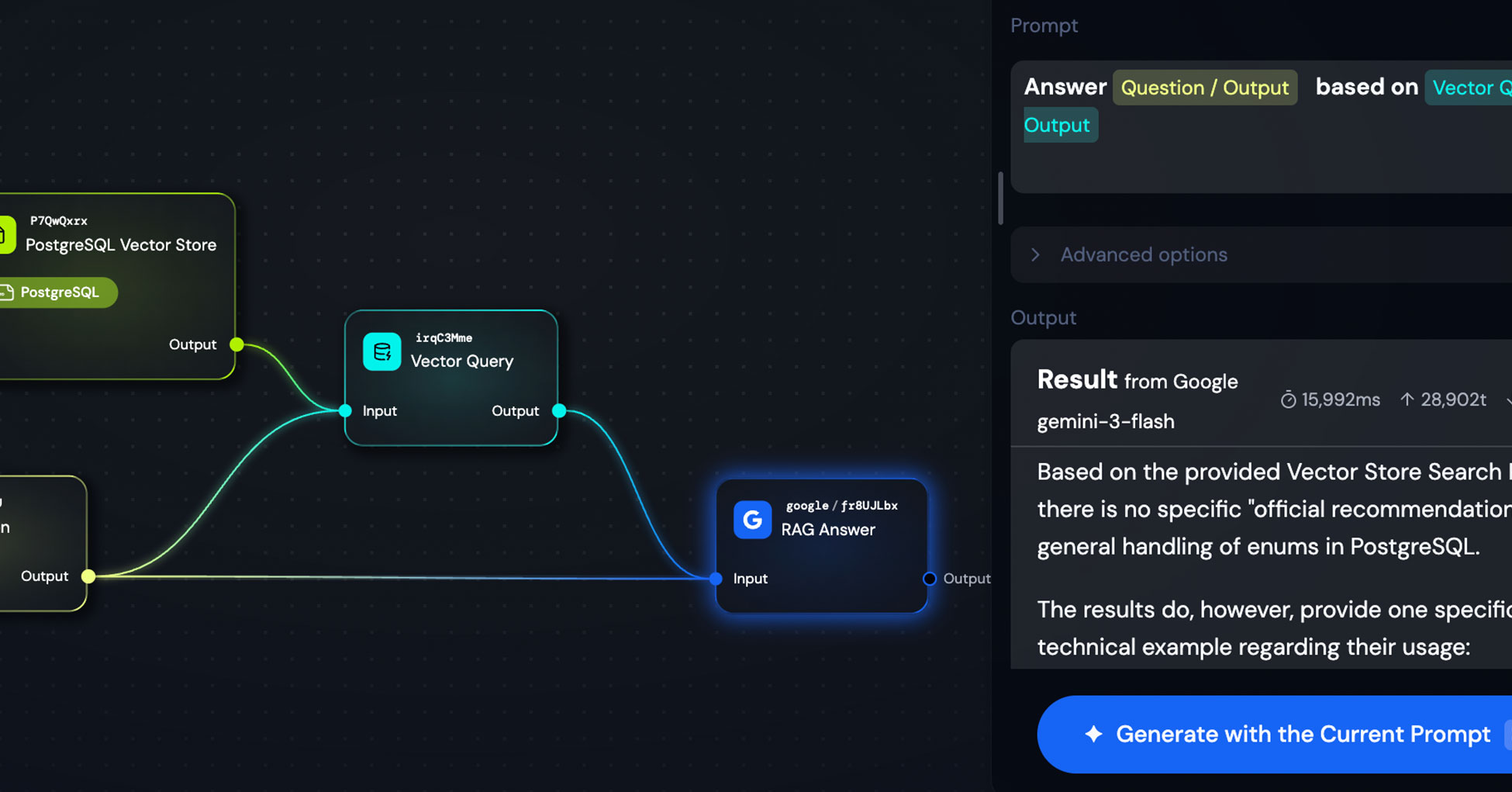
The prompt for the answer agent is minimal:
Answer {{Question / Output}} based on {{Vector Query / Output}}
That's it. The Vector Query output already contains well-structured context, so the LLM just needs to synthesize and respond.
The Result
When I asked about enum handling in PostgreSQL, the system correctly identified that while there's no single "official recommendation," the documentation does provide specific technical examples for usage patterns.
This level of contextual accuracy—pulled directly from official documentation—would be difficult to achieve with general web search alone.
A Quick Tip: Context7 for Tech Documentation
If you're working with popular open-source tools, check if Context7 has already processed their documentation. They cover a wide range of libraries and frameworks.
For proprietary or internal documentation, you'll need to prepare the files yourself. One recommendation: converting PDFs to Markdown or plain text before uploading often yields better accuracy. Structured, well-formatted text tends to vectorize more effectively.
Why This Matters
Here's what I've found in practice: when doing AI-assisted system design, architecture reviews, or technical decision-making, having official documentation as context makes a huge difference.
Web search has improved dramatically, and LLMs have impressive built-in knowledge. But official documentation is often more precise, more up-to-date, and more authoritative than what you'd find through general search.
Document Vector Store bridges that gap. You can bring any documentation—public or proprietary—into your AI workflows without writing a single line of code.
What's Next
Right now, Document Vector Store supports text-based formats: PDF, TXT, and Markdown. We're exploring support for additional formats like Excel and PowerPoint in the future.
Our goal is simple: make it as easy as possible for anyone to build sophisticated RAG systems without needing to understand the underlying complexity.
Wrapping Up
Document Vector Store opens up a whole new category of use cases beyond code analysis. Whether you're building:
- Internal knowledge bases from company documentation
- Technical Q&A systems from official docs
- Research assistants from academic papers
...the pattern is the same: upload your documents, build your workflow, and let AI handle the retrieval and synthesis.
If you've been using GitHub Vector Store, Document Vector Store will feel instantly familiar. And if you haven't started with Vector Store at all yet, this might be an easier place to begin—just upload a few documents and experiment.
Give it a shot.